
Konica Minolta Printhead Cleaning and Testing: KM1024i, KM1024, KM1800i

The Konica Minolta KM1024i and KM1024 series are widely used, from solvent and UV wide-format printing to textile and industrial applications. In the head code, S, M and L indicate drop size, while H and N indicate heated or non-heated versions; the cleaning recipe is chosen according to these features and the ink used.

Supported Konica Minolta printheads

Main Konica Minolta models that can be processed with Cleanjector and Inktester Digital:

ModelNozzles
KM1024i SHE1024 (256×4)
KM1024i MHE-D1024 (256×4)
KM1024i LHE-301024 (256×4)
KM1024i SAE-C1024 (256×4)
KM1024i MAE-C1024 (256×4)
KM1024 SHB / MHB / LHB1024 (512×2)
KM1024 MNB / LNB1024 (512×2)
KM1800i SHC-C1776 (296×6)
KM1024A LHG-RC1024

Other supported models: KM512i LNB, KM512i MAB, KM512i SAE-Q, KM1024A SAE-Q, KM1024A SHE-HR.

Technical data from the head manufacturer and People & Technology; the model list may change as it is updated.
Common problems with Konica Minolta heads

Missing nozzles and lines

Dried or settled ink blocks nozzles, causing lines, colour shifts and missing patterns.

  • Gaps in the nozzle test
  • Jet deviation
  • Reduced drop volume

Ink changeover

When switching to another ink or supplier, residues of the old ink may be incompatible with the new one.

  • Controlled flushing
  • Compatible cleaning fluid
  • Testing after changeover

Long stoppages

Ink drying and pigment settling in the head during maintenance and downtime.

  • Pre-flushing and protection
  • Safe storage
  • Priming before restart

Incorrect cleaning

Pressure above the manufacturer’s limits, unsuitable solvents or cleaning under power can cause permanent damage.

  • Model-specific recipe
  • No power to the head
  • Pressure and vacuum control
Konica Minolta printhead cleaning Cleanjector
People & Technology

Cleaning Konica Minolta heads with Cleanjector

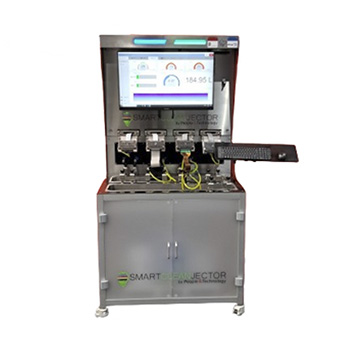
Cleanjector controls pressure, vacuum, flow direction, temperature, time and ultrasound according to the Konica Minolta head model. Cleaning is carried out with closed-loop filtration and backflush; no power is applied to the head during cleaning.

  • Recipes and adapters specific to Konica Minolta models
  • Oil, solvent, water-based and UV inks
  • Up to 93% recovery of heads in suitable condition with ceramic inks

Printhead cleaning People & Technology

Konica Minolta printhead testing Inktester Digital
People & Technology

Measurable results with Inktester Digital

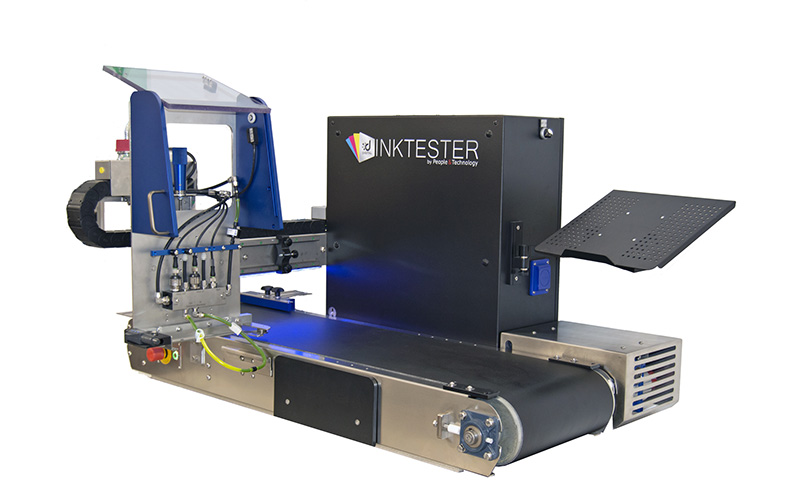
Whether a cleaned Konica Minolta head is ready to return to the line is tested in the lab without stopping production. The same platform is used for new ink approval and incoming head inspection.

  • Nozzle, drop and waveform checks
  • Before / after cleaning comparison
  • Head lifetime tracking

People & Technology

Frequently asked questions

Can a clogged Konica Minolta printhead be cleaned?

A significant share of Konica Minolta heads without electrical or mechanical damage can be returned to production through controlled cleaning with a model-specific recipe. The head condition is verified by testing before and after cleaning.

What should be considered when cleaning Konica Minolta heads?

The manufacturer’s pressure and temperature limits must not be exceeded, a cleaning fluid compatible with the ink must be used and no power must be applied to the head during cleaning. Cleanjector controls these parameters automatically according to the head model.

How do you know a cleaned Konica Minolta head is sound?

Inktester Digital checks nozzle condition, drop formation and waveform; comparing results before and after cleaning shows objectively whether the head is ready to return to the line.

Heads running which inks can be cleaned?

Recipes are available for heads running oil-based (including ceramic), solvent-based, water-based and UV inks. The cleaning fluid is selected according to the ink used.

When does a printhead cleaning system pay back?

Payback depends on annual head consumption and the number of heads recovered; in high-consumption plants it drops to around 6–8 months. We calculate it with your head consumption data.

Let’s plan cleaning and testing for your Konica Minolta heads

Share your head model, ink type and annual head consumption; we will evaluate the right solution and payback together.

Contact us People & Technology